The best USB microphones here range from simple plug-and-play desktop models to dynamic mics that also offer XLR connections for audio interfaces. Choose by recording setup first: consider pickup patterns for solo or group use, monitoring and mute controls for live work, and whether a stand or boom arm is included.
Quick Top Products
JLab Talk
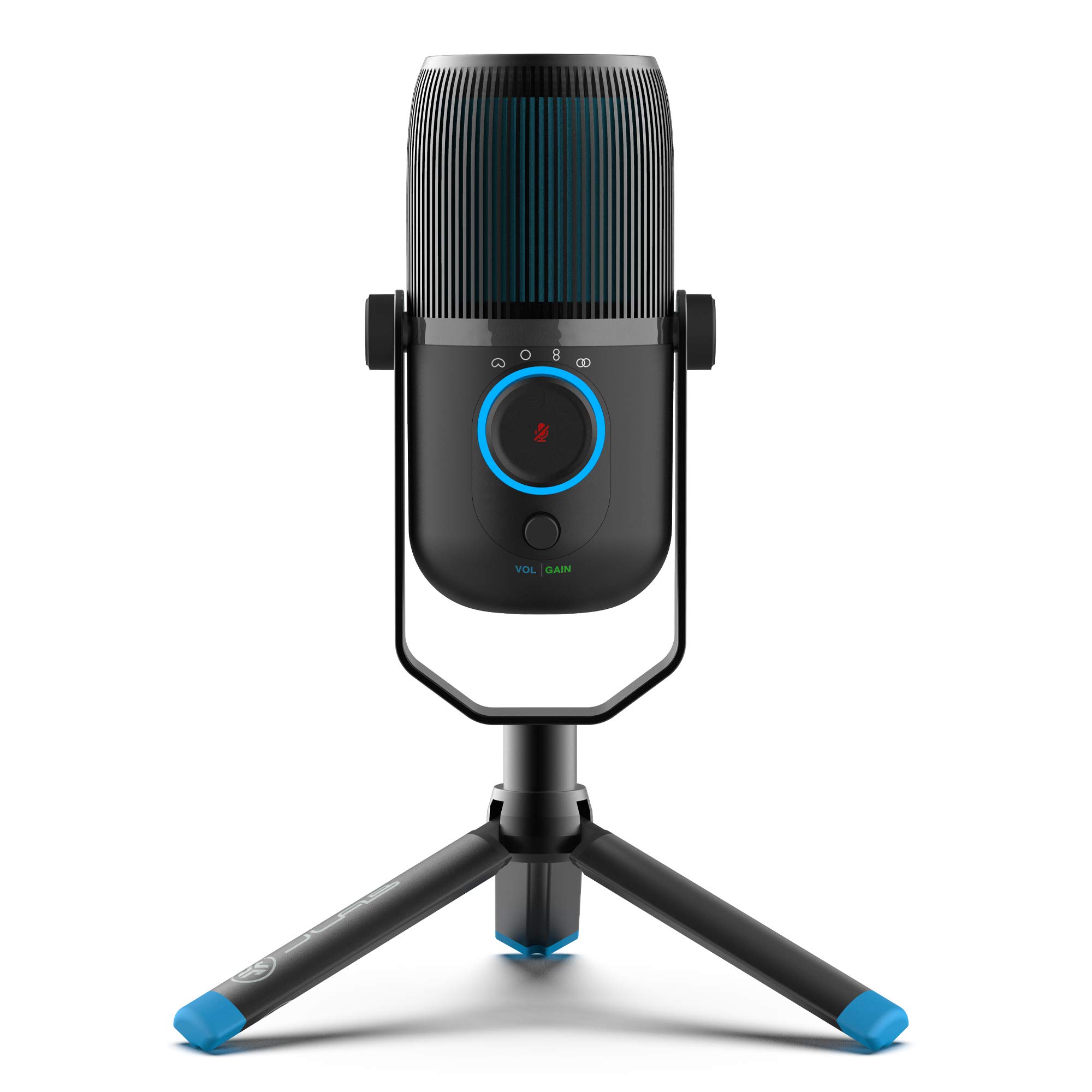
- Four pickup patterns adapt to different recording arrangements.
- Gain and volume controls support in-session adjustments.
- A 3.5mm input enables zero-latency listening.
Best For: People recording solo speech, interviews, or group audio who want several selectable pickup patterns.

MAONO GamerWave DGM20
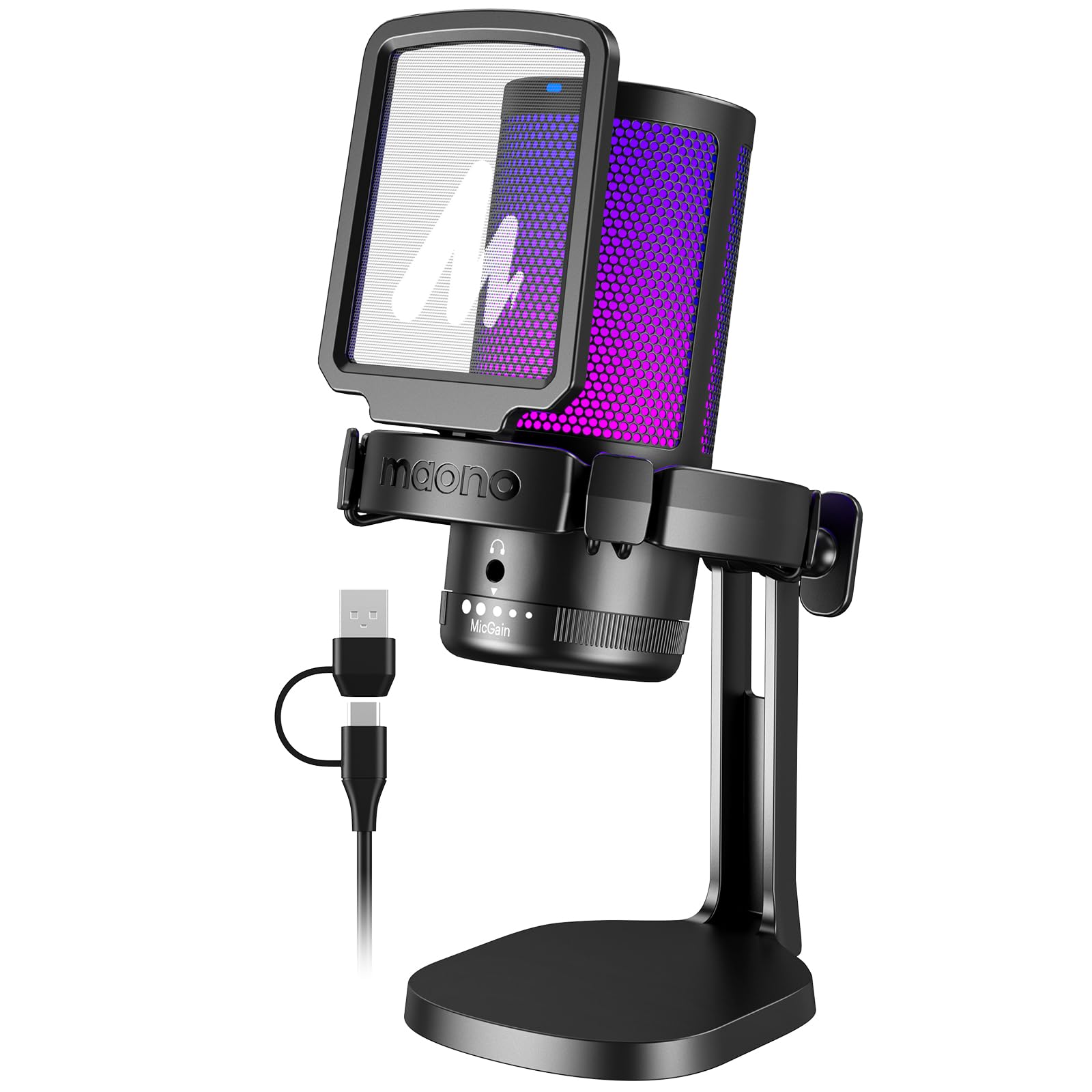
- Noise cancellation can be switched on or off from the mic.
- Windows software provides adjustable noise cancellation.
- Includes mute, gain, and headphone monitoring controls.
Best For: PC gamers and streamers who want adjustable noise cancellation and direct monitoring in a USB desk mic.
Samson Meteor Mic
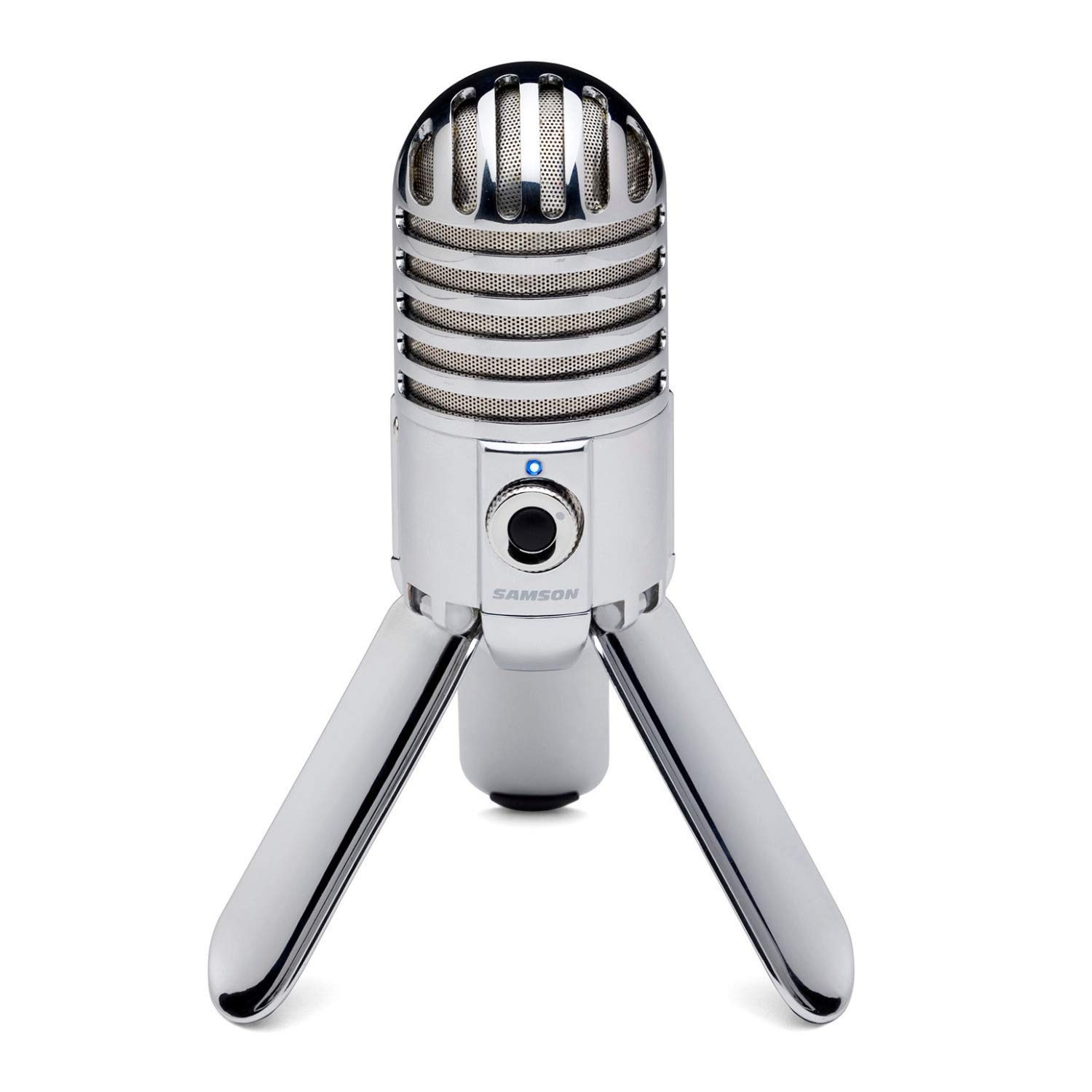
- The 25mm diaphragm and fold-back legs create a compact desktop format.
- Cardioid pickup focuses on audio in front of the microphone.
- Headphone output supports zero-latency monitoring.
Best For: People who want a compact USB condenser mic with foldable legs and headphone monitoring.
FIFINE K683A

- USB-A or USB-C plug-and-play operation works with listed computer platforms.
- Gain, mute, and headphone monitoring controls are built in.
- A foldable tripod and detachable pop filter are included.
Best For: Home recorders who want a USB condenser mic with a desktop tripod, pop filter, and direct monitoring.
FIFINE AmpliGame AM8T White
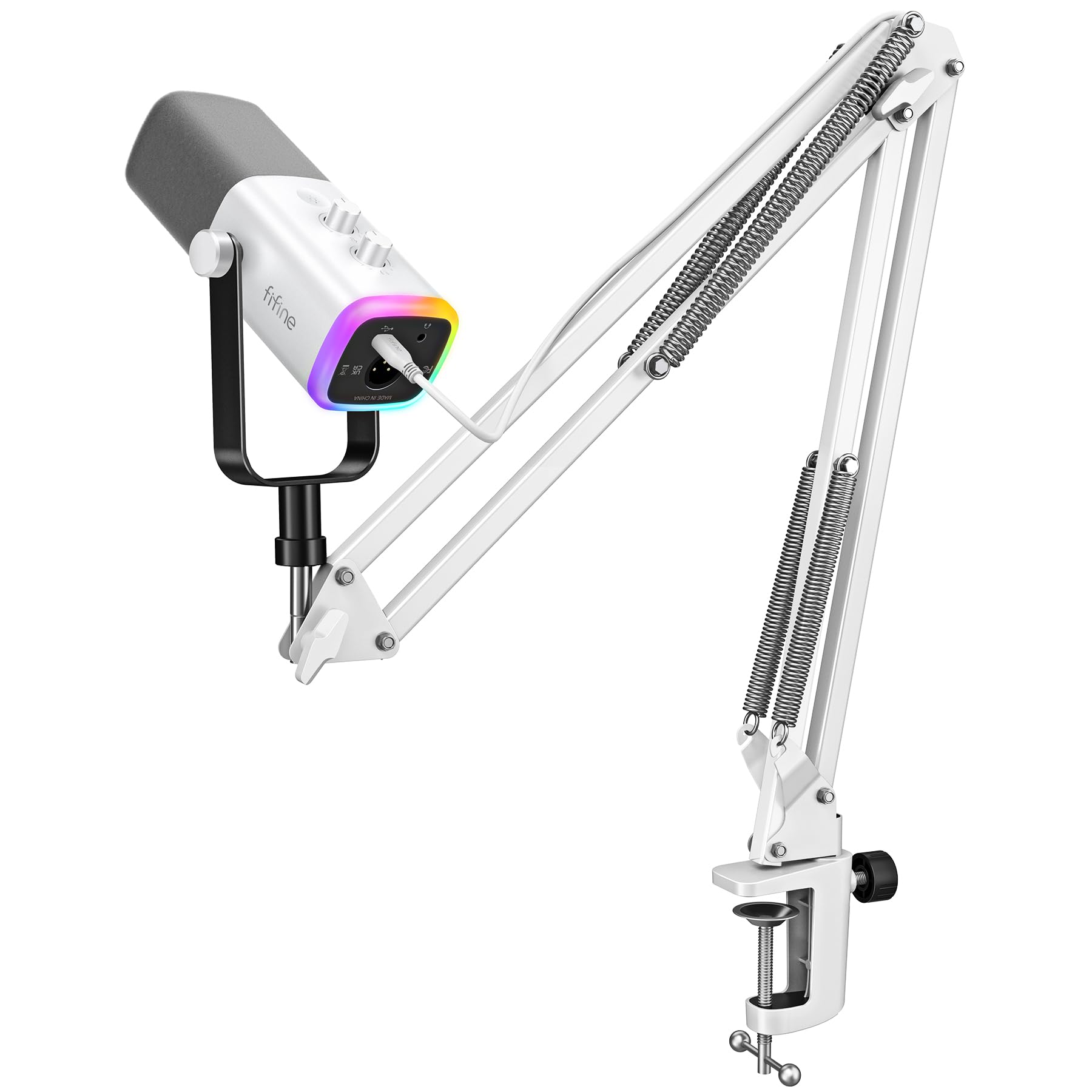
- USB and XLR connections support computer and interface setups.
- The kit includes a boom arm stand.
- Controllable RGB lighting is included.
Best For: Streamers who want a boom-arm dynamic mic with USB convenience and an XLR connection option.
For Multi-Pattern Desktop Recording
JLab Talk USB Microphone, USB-C Output, Cardioid, Omnidirectional, Stereo or Bidirectional, 96k Sample Rate, 20Hz, 20kHz Frequency Response, Volume, Gain Control, Quick Mute, Plug & Play
The JLab Talk combines a USB-C input with four selectable pickup patterns: cardioid, omnidirectional, stereo, and bidirectional. That range lets one desktop microphone adapt to solo voice work, multi-person conversations, and stereo recordings without changing microphones.
It also has gain and volume controls, a 3.5mm input for zero-latency listening, and a 5/8-inch mounting input for a tripod or stand. Plug-and-play operation and a 6.5-foot USB/USB-C cable suit a flexible home or office desk.
The product details do not specify a supplied desktop stand, so check what mounting hardware is in the box if you do not already have support.
Best For: People recording solo speech, interviews, or group audio who want several selectable pickup patterns.
| Pros | Cons |
|---|---|
|
|
The Talk suits buyers who expect to switch between solo recording and conversations with other people. Its selectable patterns are the key advantage over a fixed-pattern desktop mic, and the real-time listening input can help during recording.
It needs compatible mounting support, so check for a stand or tripod if you do not own one. For a simpler solo setup, consider whether you will use the extra patterns before choosing this more flexible arrangement.
For Windows Noise-Cancellation Controls
MAONO USB Gaming Microphone for PC, Noise Cancellation Condenser Mic with RGB, Mute, Gain, Computer Desk Mic for Streaming, Podcast, Chat, Twitch, YouTube, Discord, PS5, PS4, GamerWave DGM20 Black
The MAONO GamerWave DGM20 is a USB condenser microphone with a cardioid pattern, one-click mute, gain control, and a 3.5mm headphone monitoring jack. Its noise cancellation can be toggled from the microphone, and adjustable noise-cancellation software is available for Windows.
USB and USB-C connectivity is supported through the included two-in-one cable, with compatibility also noted for Macs and PS5 and PS4. This feature set targets gaming, streaming, and chat where background sound management and quick controls are priorities.
Check whether the Windows software is relevant to your computer, since that adjustable software feature is limited to Windows.
Best For: PC gamers and streamers who want adjustable noise cancellation and direct monitoring in a USB desk mic.
| Pros | Cons |
|---|---|
|
|
The DGM20 is a fit for streamers who want a noise-cancellation control on the mic and use a Windows PC for the software option. Its mute, gain, and headphone monitoring controls keep common adjustments close at hand.
Confirm that the included cable works with your intended device and check the mounting hardware before buying, since a stand is not specified. If you do not need noise cancellation controls, a simpler USB microphone may cover the same basic voice-chat needs.
For a Foldable Travel Desk Setup
Samson Meteor Mic USB Condenser Podcasting Podcast Recording Desktop Microphone
The Samson Meteor Mic is a USB condenser model with a 25mm diaphragm and fold-back legs that collapse for easier transport. Its cardioid pattern focuses on sound in front of the mic, and a 1/8-inch stereo headphone output with level control enables zero-latency monitoring.
The specified resolution is 16-bit at 44.1 or 48kHz, with a 20Hz–20kHz frequency response. Zinc die-cast construction and a chrome-plated finish give it a different desktop form from boom-arm kits.
This option fits voice or instrument recording on a compact desk, though its foldable legs and monitoring controls are more distinctive than elaborate streaming controls.
Best For: People who want a compact USB condenser mic with foldable legs and headphone monitoring.
| Pros | Cons |
|---|---|
|
|
The Meteor Mic suits someone who values a self-contained desktop shape that can fold for transport. It includes direct headphone monitoring and a cardioid pattern for voice or instrument capture, but its listed digital resolution is 16-bit at 44.1/48kHz.
Check the cable included and your computer or tablet connection needs before buying. This is a more compact approach than a boom-arm kit, so choose it if portability and a simple desk footprint matter more than adjustable arm placement.
For a Desktop Mic with Pop Filter
FIFINE USB Desktop PC Microphone with Pop Filter for Computer and Mac, Studio Condenser Mic with Gain Knob Mute Button Headphone Jack for Gaming Streaming Recording YouTube, Extra USB-C Plug-K683A
The FIFINE K683A is a cardioid USB condenser microphone designed for a desktop setup, with a foldable tripod stand and detachable pop filter included. A gain knob and instant mute button sit alongside a 3.5mm headphone jack for real-time monitoring.
It connects to compatible PS4, Mac, and Windows computers through USB-A or USB-C without an extra driver. The stand and pop filter make it ready for desk recording, streaming, calls, or lectures without needing a separate boom arm.
It is not compatible with Xbox, and buyers should speak toward the mic diaphragm on the logo side for the intended pickup direction.
Best For: Home recorders who want a USB condenser mic with a desktop tripod, pop filter, and direct monitoring.
| Pros | Cons |
|---|---|
|
|
Choose the K683A if you want a desktop USB mic with the basic accessories and controls in one package. Its tripod keeps setup simple, while the pop filter and headphone output support voice recording and monitoring.
Check that your console or computer is among its compatible connections; Xbox is excluded. Also consider whether you prefer a tripod that occupies desk space or a boom arm that can move out of the way.
For an XLR-Ready Boom-Arm Kit
FIFINE Gaming XLR/USB Microphone Kit, Streaming Dynamic Mic Set for PC, Computer Mic for Vocal Podcast Recording Voiceover, with Headphones Jack, Gain Knob, Arm Stand-AmpliGame AM8T White
The FIFINE AmpliGame AM8T White is a dynamic microphone kit that combines USB and XLR connectivity with an included boom arm. USB provides plug-and-play operation for a computer, while XLR supports connection to a mixer or audio interface.
Its cardioid pickup pattern is intended to reduce background noise, and the kit includes controllable RGB lighting. The supplied details emphasize the boom arm and function keys, but do not name a USB monitoring jack or spell out every control.
The white finish may suit a light-colored streaming setup. Note that an XLR cable is not included, so plan for one if you intend to use the analog connection.
Best For: Streamers who want a boom-arm dynamic mic with USB convenience and an XLR connection option.
| Pros | Cons |
|---|---|
|
|
Choose this AM8T bundle if you want a boom arm in the package and the flexibility to move from USB to XLR equipment. The dynamic cardioid design and controllable RGB target a streaming desk, while the white finish may fit a matching setup.
Buy an XLR cable separately if using the analog connection. Confirm whether headphone monitoring is important to your workflow, since that feature is not specified for this offer.
How to Choose Usb Microphones
How We Picked Best USB Microphones
This selection covers USB microphones that meet distinct desk recording needs: simple voice capture, live streaming controls, several pickup patterns, compact transport, and an XLR path for future expansion. We favored candidates with clear connection details and useful setup features such as direct monitoring, mute and gain controls, an included stand or arm, or software options.
Closely related color variants and near-duplicate gaming models were left out so the choices represent different workflows.
A microphone's intended use matters as much as its connection. Solo podcasting and voice chat benefit from a focused pickup pattern and close placement, while interviews or group recording can call for selectable omnidirectional, stereo, or bidirectional modes.
For streaming, physical mute access and headphone monitoring can make routine adjustments easier during a live session.
Comparing USB Microphones for Different Setups
The selected models range from USB-only desktop condensers to dynamic microphones with both USB and XLR outputs. The JLab Talk offers four pickup patterns, while the Samson Q9U and MAONO PD400X pair direct computer use with an XLR option for compatible mixers or interfaces.
Among gaming-oriented choices, the SteelSeries Alias emphasizes software routing and visible status, while the MAONO DGM20 adds a Windows-only software noise-cancellation option. The coordinator inserts a product comparison table here automatically.
Mounting and accessories also change the fit. The FIFINE K683A includes a desktop tripod and pop filter; the AM8T White comes with a boom arm but no XLR cable.
The Meteor Mic folds for transport and provides headphone monitoring, while the K658 is a dynamic close-placement option whose stand is not included. Check the full package and available desk space before deciding between a tripod, desktop base, and boom arm.
| Product | Standout features | Best for |
|---|---|---|
| JLab TalkCheck Price |
| People recording solo speech, interviews, or group audio who want several selectable pickup patterns. |
| MAONO GamerWave DGM20Check Price |
| PC gamers and streamers who want adjustable noise cancellation and direct monitoring in a USB desk mic. |
| Samson Meteor MicCheck Price |
| People who want a compact USB condenser mic with foldable legs and headphone monitoring. |
| FIFINE K683ACheck Price |
| Home recorders who want a USB condenser mic with a desktop tripod, pop filter, and direct monitoring. |
| FIFINE AmpliGame AM8T WhiteCheck Price |
| Streamers who want a boom-arm dynamic mic with USB convenience and an XLR connection option. |
Choosing a USB Mic for Streaming or Podcasting
For a one-person podcast or voiceover, look for a cardioid pattern and controls you can reach without leaving your recording software. The K683A, A8, and DGM20 have gain and mute controls; the A8 and DGM20 also provide headphone monitoring.
Dynamic USB microphones such as the K658 and PD400X offer an alternative when you prefer a close speaking position, and XLR-equipped models can connect to additional recording gear as your setup changes.
If your recordings include more than one person, a multi-pattern USB mic can be more adaptable than a fixed cardioid design. The JLab Talk's cardioid, omnidirectional, stereo, and bidirectional modes address different arrangements.
Confirm the pattern you need and where participants will sit, then check whether the microphone includes a stand or needs a separate mount.
Setup Details That Affect Your Choice
USB compatibility is not universal across every device. The K683A lists support for PS4, Mac, and Windows and excludes Xbox, while the DGM20 names PC, laptop, Mac, and PS4/PS5 connections.
The Q9U uses USB-C and also offers XLR. Check your device ports and included cable before ordering, especially if you expect to connect a console, tablet, or interface.
Think about placement, too. A desktop tripod is straightforward but uses surface area; a boom arm can move out of the way and bring a mic closer.
Close-range models need space and a comfortable speaking position. Included shock mounts and pop filters can address vibration and plosive sounds, but package contents differ, so confirm support hardware and cables against the setup you already own.
Who Should Buy Which USB Microphone
Choose the JLab Talk if selectable pickup patterns matter, the Samson Q9U or MAONO PD400X if you want both USB and XLR, and the SteelSeries Alias if software routing and visible status fit your PC streaming workflow. The K683A suits a straightforward desktop package with a tripod and pop filter, while the FIFINE K658 is for close-range dynamic recording with a separate stand.
For a portable desktop form, consider the Samson Meteor Mic and its fold-back legs. For gaming controls, compare the FIFINE A8's RGB and monitoring features with the MAONO DGM20's noise-cancellation controls, keeping its Windows software limitation in mind.
Match the microphone to your mounting space, connection needs, and intended recording arrangement before buying.